|
Add Local User
2017/01/08 |
|
Add Local Users.
|
|
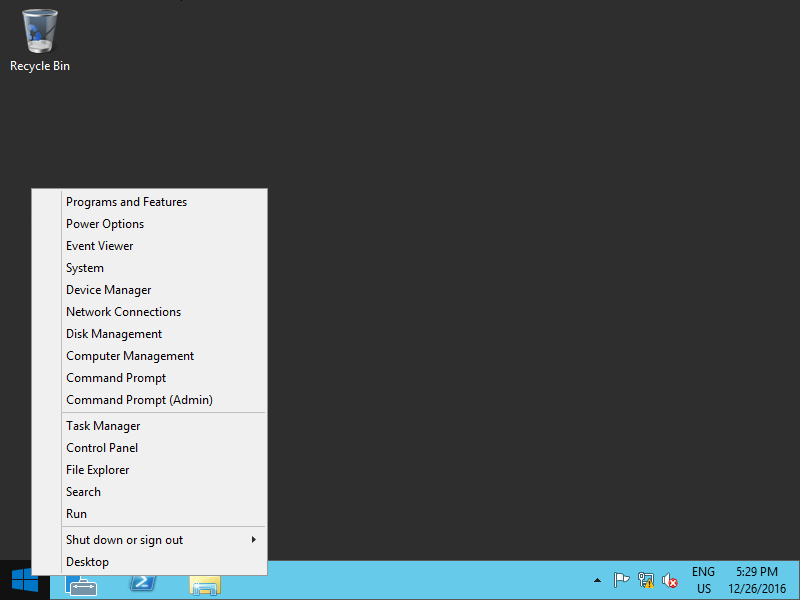
| [1] | Click Windows icon with Right button and open [Computer Management]. |
|
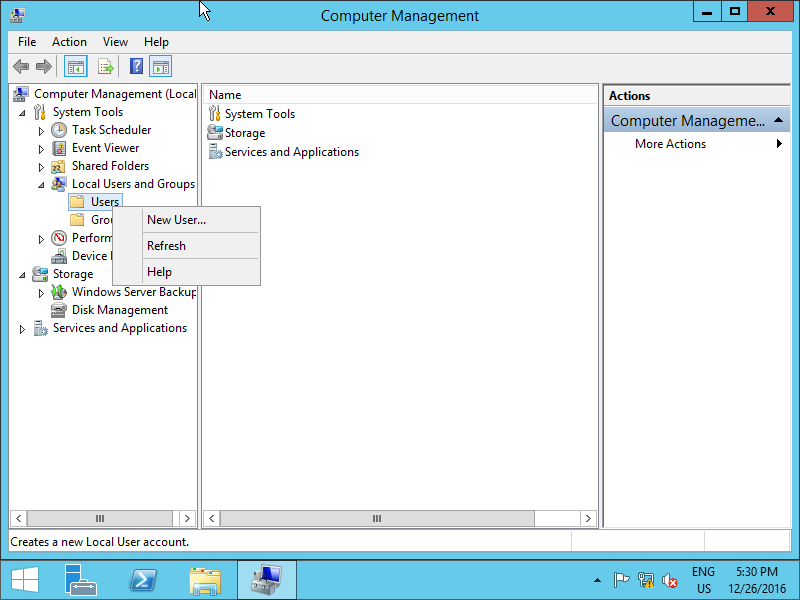
| [2] | Click [Users] with Right button under the [Local Users and Groups] section and select [New User]. |
|
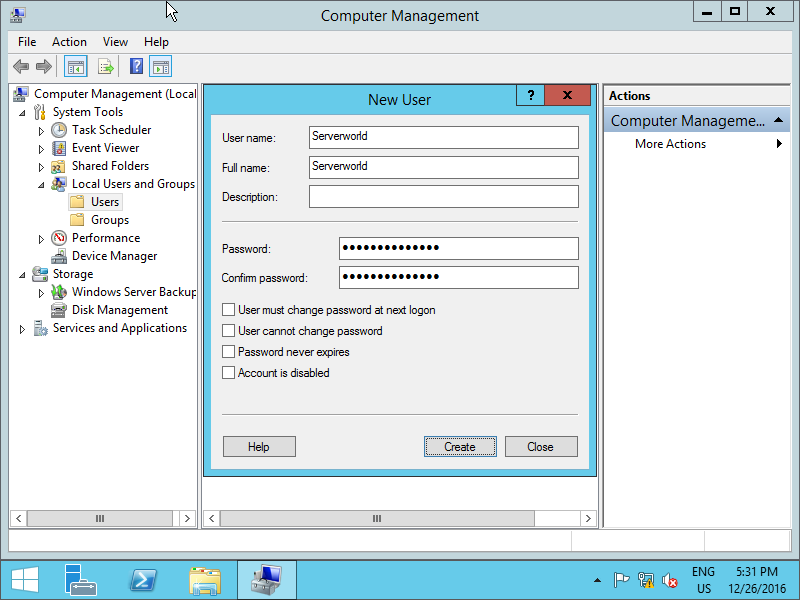
| [3] | Input User-Name and Password for new user and click [Create] button. Other intems are optional to set. |
|
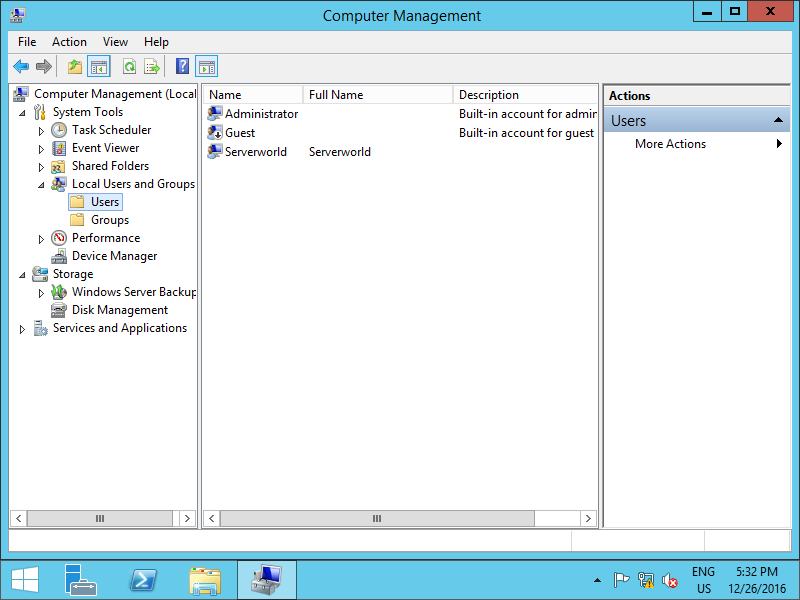
| [4] | After creating normally, New user is shown on the list like follows. |
|
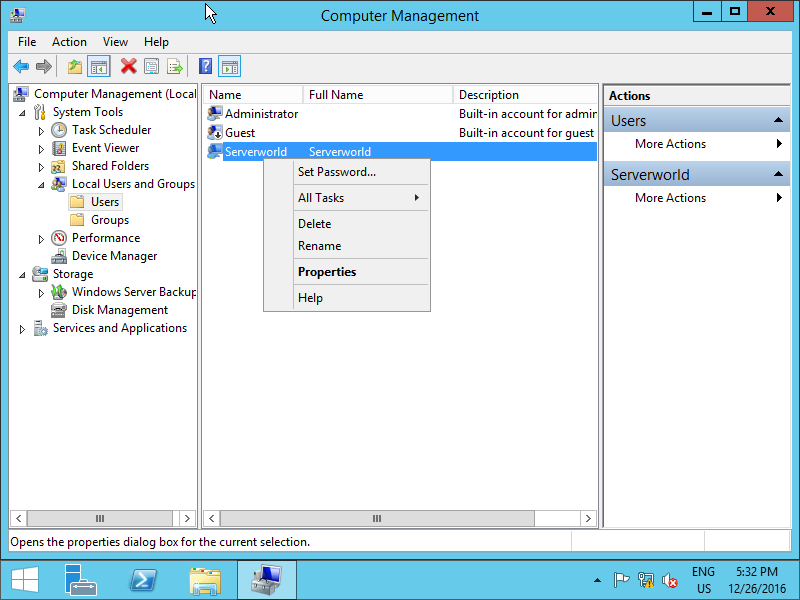
| [5] | If you'd like to set administrative priviledge to the new user, click the user with Right button and open [Properties]. |
|
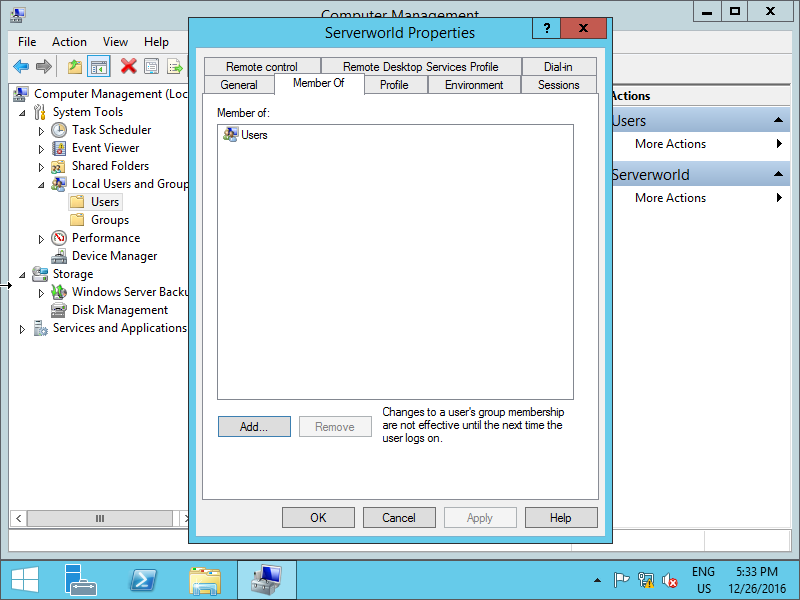
| [6] | Move to [member of] tab and click [Add] button. |
|
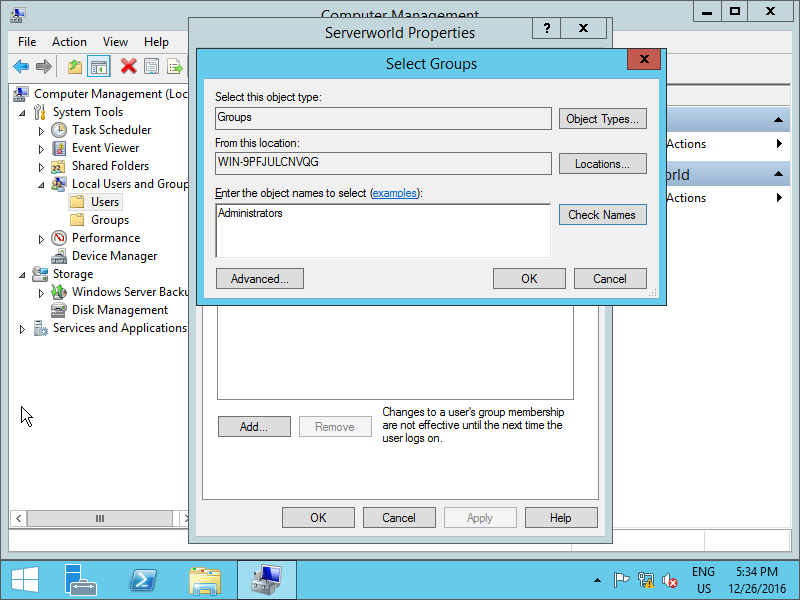
| [7] | Specify [Administrators] group like follows. |
|
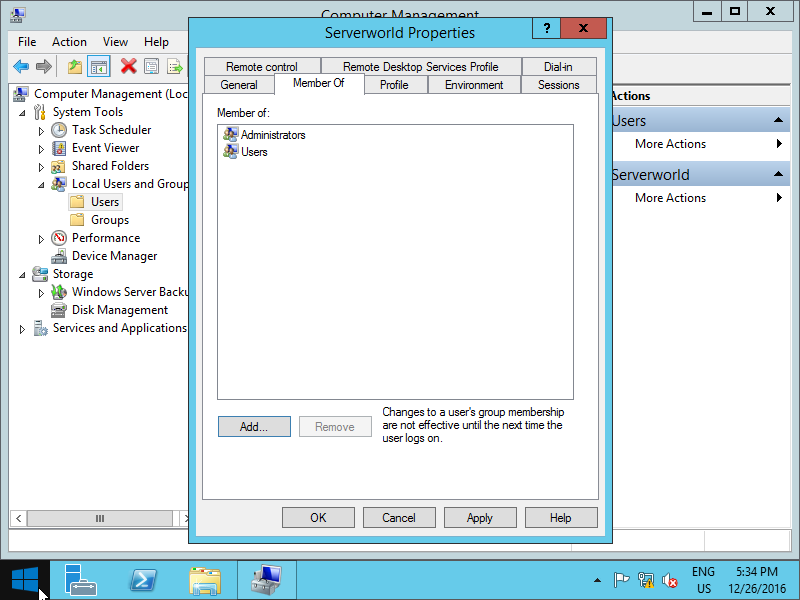
| [8] | Make sure [Administrators] group is added and click [OK] button. |
|